Why We Made the File the Source of Truth, So Only the Bytes I Typed Get Saved
Have you ever seen a table you did not edit appear in git diff? mori treats the file, not a document model, as the source of truth, and writes only the bytes you typed to disk when saving.
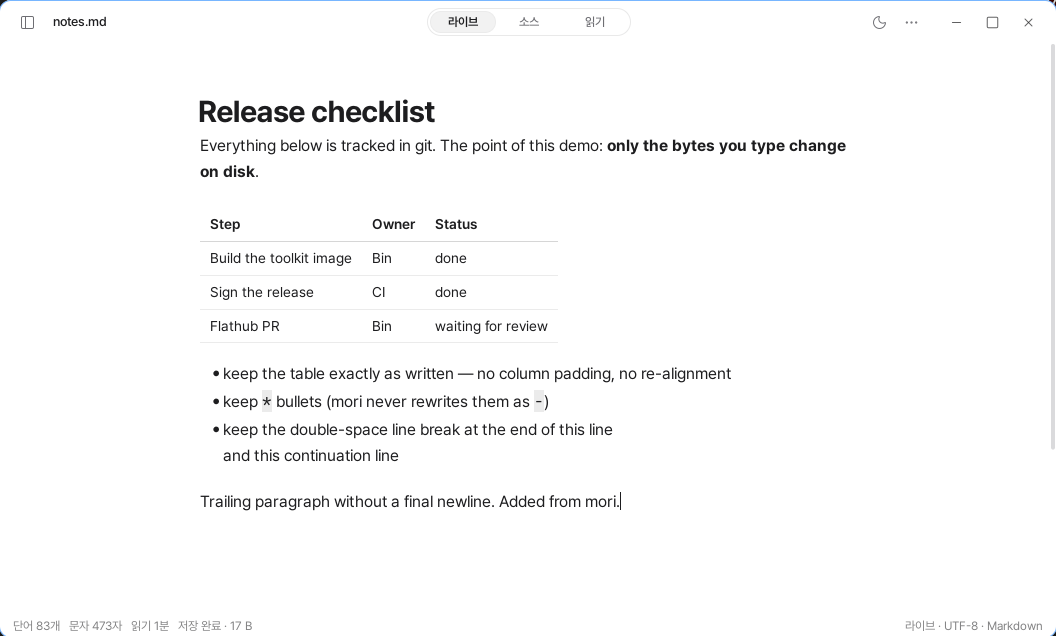
Sometimes you change just one word in a Markdown table, but Git makes it look as though the entire document has changed.
That is because the editor reorganized the table’s spacing and line breaks while saving. It wrote even the spaces that the user did not enter into the file. Typora filling the spaces between pipes to align the column widths of a table is one such example.
mori saves differently. It leaves the file’s source text untouched and displays visual effects such as bold text, tables, and formulas on top of it. So when you save, only the bytes changed by the user are different.
You can check the amount of change before saving
mori shows the number of bytes that will change in the status line when you save.
It compares the original from when the file was first opened with the current content and calculates only the parts that actually differ. When you edit, it displays 17 B pending save; if you undo everything, it changes to Same as saved file. After saving, Saved · 17 B remains until the next edit.
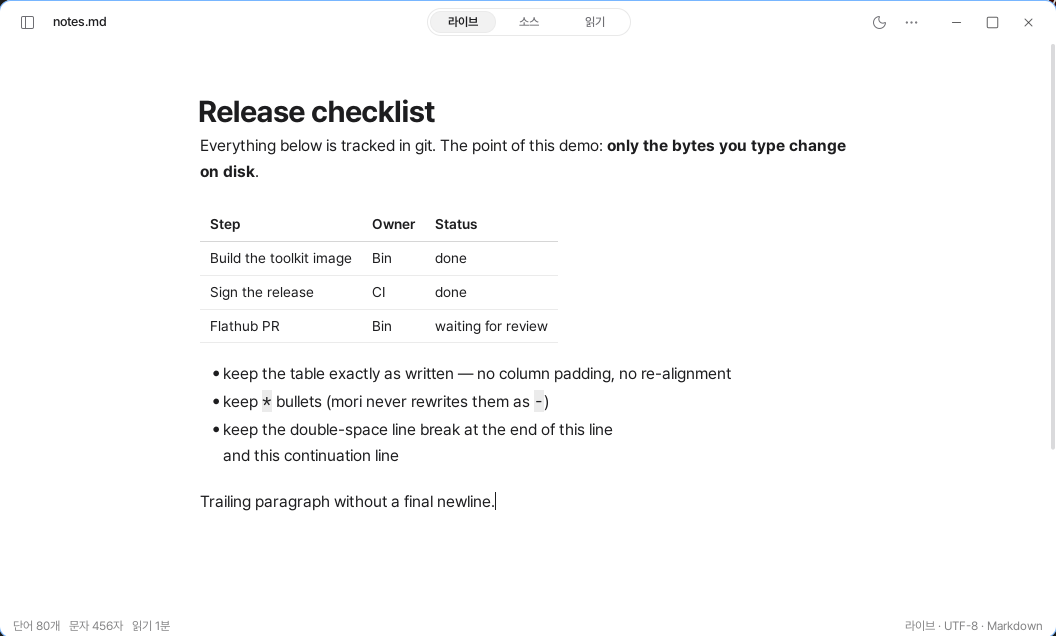
This number works independently of Git. You can see it even in a folder that is not a Git repository, and it is not affected by staging or commit status.
However, it matches the amount of change that will appear in Git diff. You can check before saving that only what you edited will change.
If you edit one table cell, only that cell changes
The difference is most apparent when editing tables.
In Live mode, the table appears as a grid. Only the cell containing the cursor changes to source text. If you edit a single word inside it and save, the status line displays +8 −6 B. Only the corresponding row appears in Git diff.
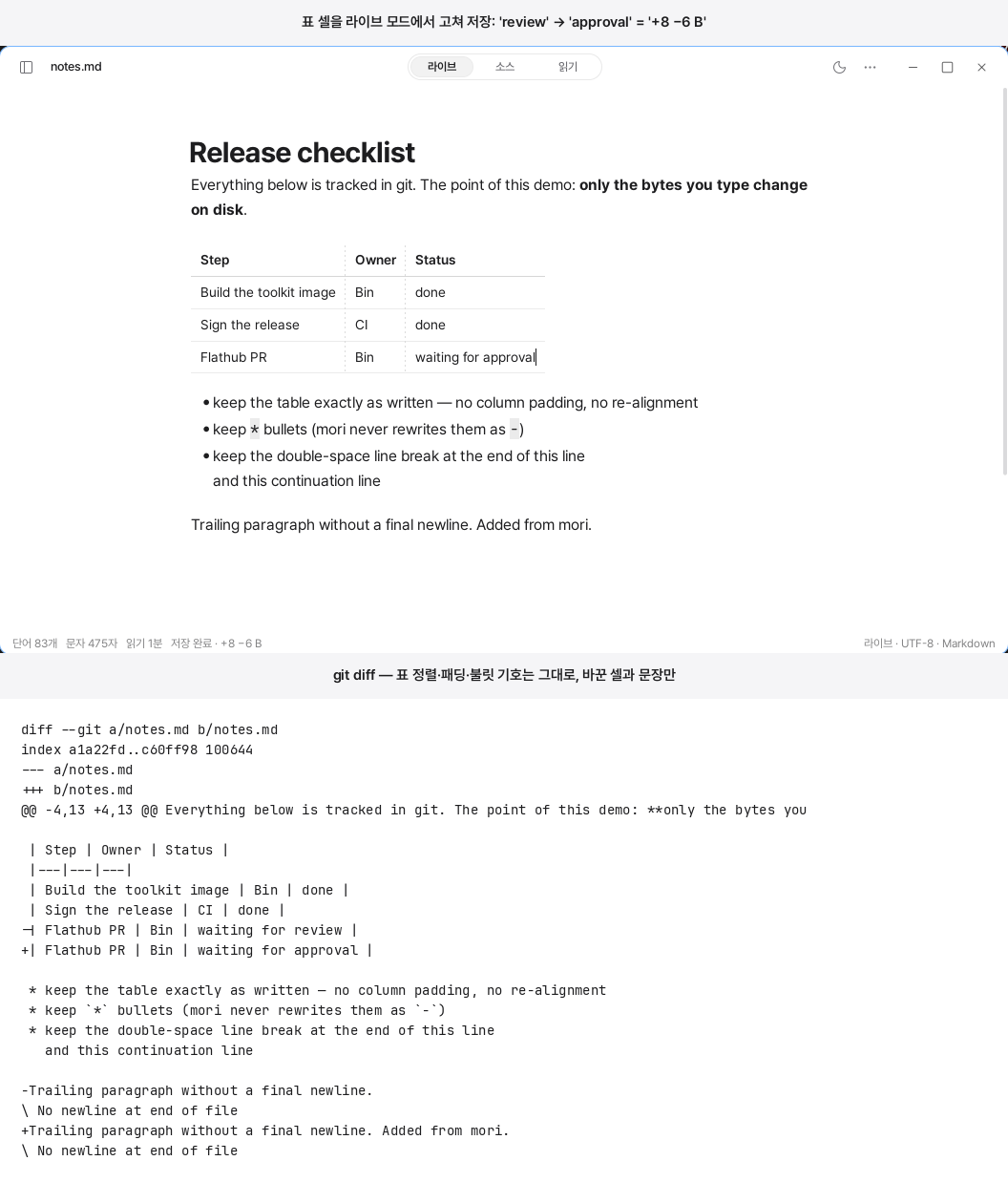
Column alignment and the spaces between pipes remain unchanged. It does not touch * bullet markers or the two spaces at the end of a line, either. It also does not add a new final line break to a file that did not have one.
Pasting works the same way. It inserts the clipboard text as is, without converting it to another format. You can immediately check the amount added in the status line. If you do not like it, you can undo once and return to a state identical to the saved file.
It preserves other characteristics of the file as well. CRLF remains CRLF, and files containing a mixture of LF and CRLF are saved as they are. The BOM and final line break also follow the original. This behavior is verified with round-trip save tests for every release.
File changes begin only with user actions
There are three cases in which mori adds bytes to a document.
When the user types or pastes text, when the user confirms an image from the clipboard and then saves it to insert a link, and when the user drags the corner of an image to resize it and records that value in the alt text.
All of these are edits initiated directly by the user. You can also check what changed in the change history.
It does not create separate files next to the document, either. Information that cannot be stored in Markdown, such as table column widths, is not saved separately, and the corresponding feature is not provided.
App information such as settings, recent files, and 20 backups is stored only in the state folder in the user’s home directory. As a result, the document folder behaves in Git, Dropbox, or Syncthing as though mori were not there.
In return, it does not fix files for you automatically
Preserving a file as is means that it does not arbitrarily fix invalid syntax, either.
Broken tables, unclosed code fences, and misaligned list indentation are displayed exactly as CommonMark interprets them. If that differs from the appearance you want, you need to fix it yourself in Source mode.
An editor that does not let you know what changes when it saves is only borrowing your file. mori returns the file you handed it exactly as it was.