Why We Built Yet Another Markdown Editor
There are already plenty of Markdown editors, so why make another one? Not because they lack features, but because the values they keep open, the traces their saves leave behind, and the way they feel at your fingertips have never all come together in a single product.
Every time I chose a Markdown editor, I had to give up something.
Apps with convenient inline editing changed the file when saving it. Apps that preserved the file as-is left something to be desired in the editing experience. Apps rich in note-taking features felt heavy even when opening a single document.
In the end, I kept two editors open at a time.
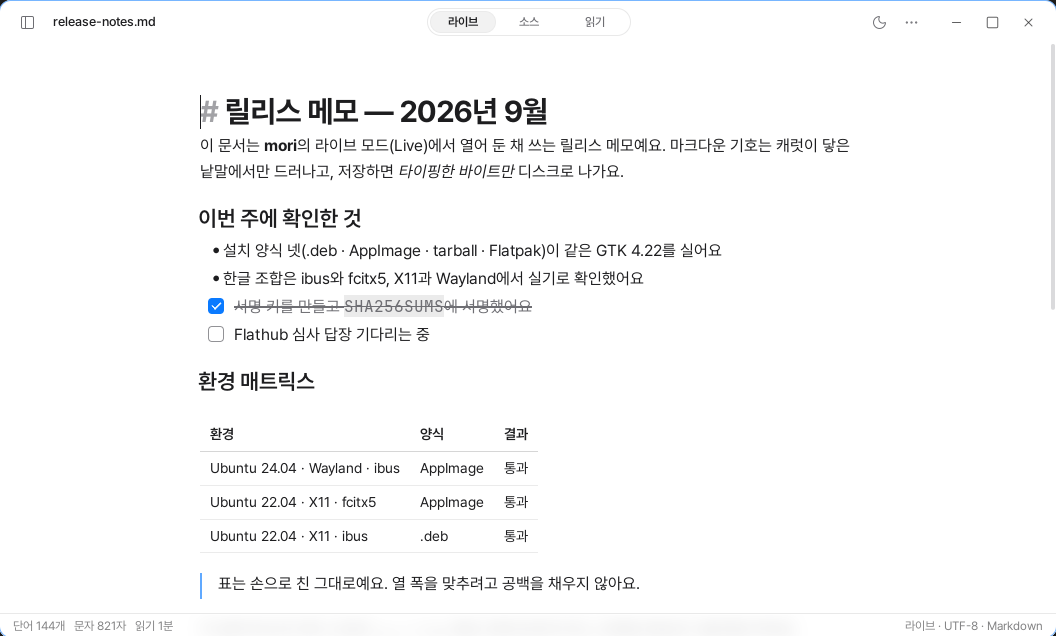
That is why I started building mori. It is an editor that preserves all three.
- Hide Markdown symbols and let you edit directly
- Save the file exactly as I wrote it
- Run lightly without a web engine
There are already many products that accomplish each of these individually. But I could not find one that satisfied all three at once.
Let’s Talk About Lightness in Numbers
Most Markdown editors that support inline editing use a web engine such as WebKitGTK or Chromium. They convert Markdown to HTML and render it in a browser.
That makes implementation easier, but it comes at a cost. It is as if a browser is running alongside your document. The number of processes and memory usage increase, and keystrokes pass through multiple stages.
Yet few products disclose this cost. On their product pages, instead of idle CPU usage or keystroke latency, all that remains is the word “lightweight.”
mori does things differently.
It measures idle CPU usage, memory, keystroke latency, and startup time in the same way on the same computer. The measurement scripts and raw data are also in the repository. Builds that exceed the defined performance budget are not released.
Comparisons also use only values measured at the same point in time. Values that could not be measured are not recorded as zero; they are marked as not measured.
Because lightness should be a measurement, not a feeling.
It Does Not Alter Your File When Saving
When you manage documents with git, you sometimes encounter strange diffs.
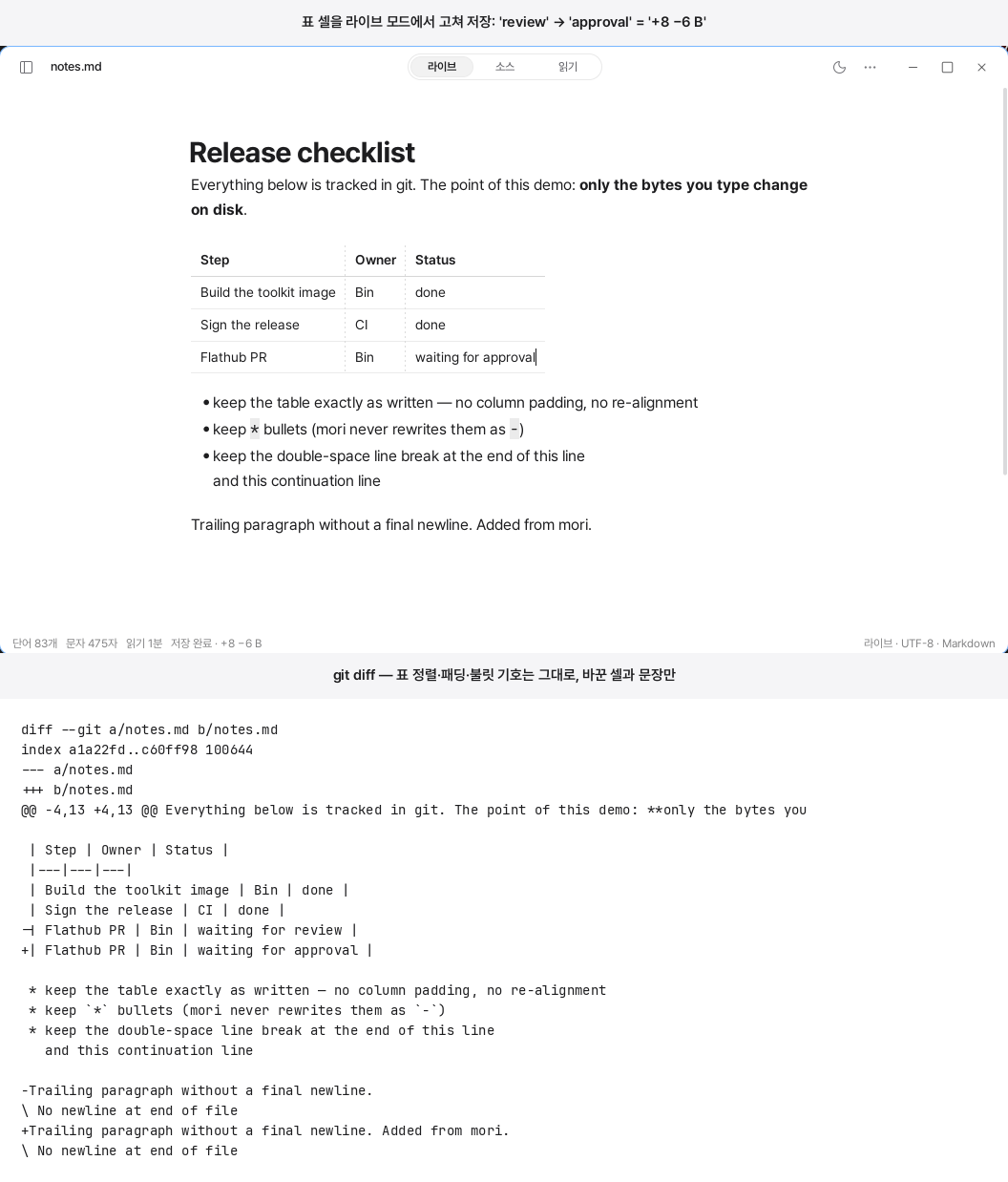
You changed only one cell in a table, but the next commit contains a pile of lines you did not touch. That is because the editor adjusted the table’s spacing or alignment while saving. The one line you changed gets mixed in with the twenty lines the editor changed.
Not everything changes. Some editors preserve line breaks and consecutive spaces well. Differences mainly appear in tables and alignment. Nor is the ability to save files as-is unique to mori.
Even so, I considered it an essential requirement.
In mori, the text is the source of truth. The file’s bytes are loaded directly into the buffer, and bold text, tables, and equations are drawn on top of it. When saving, the buffer is written directly to disk.
The screen may change to look better, but the file is never changed behind your back.
Korean Input Comes First
The subtle discomfort of web-based editors can be felt at your fingertips. Even when the scrolling, blur, and motion look similar, they differ slightly from the operating system’s native apps.
The difference becomes even greater when typing Korean.
Characters being composed may split apart, the cursor may jump, or input may be dropped at the end of a line. These problems arise while a web editor processes Korean composition events.
mori lets the operating system render the text and effects directly. Korean composition is also received directly from the platform’s input method. The tradeoff is that input handling must be implemented separately for each operating system and tested on real devices. Linux is supported now, while macOS and Windows are under development.
It is the harder path, but this difference matters to people who write long-form text.
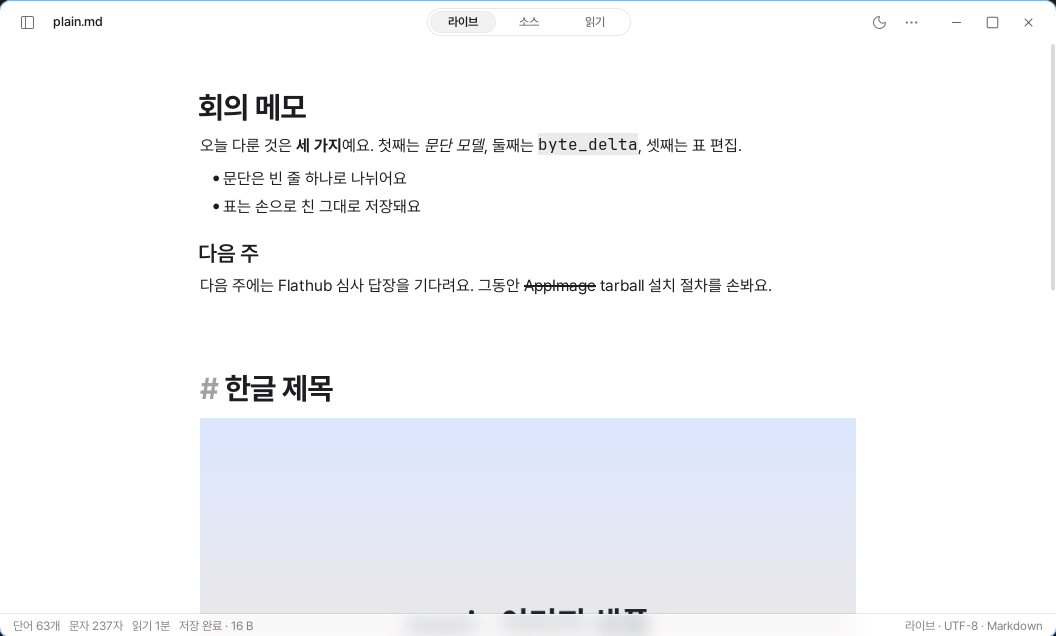
# appears faintly only on the heading line where the caret is placed, while the bold, italic, and inline code text above is rendered without symbols.There may not be many people who need mori.
Developers who manage READMEs and design documents with git. People who write long-form text in Korean. People who keep an editor open on their laptop all day.
But the reasons they leave an editor are clear.
Messy diffs. Interrupted Korean input. A fan that never stops spinning.
We Also Decided What Not to Build
mori has no synchronization, plugins, backlinks, AI, or collaboration features.
We do not build our own synchronization. There are no accounts or servers. We do not even create a separate configuration file in the document folder. We left out features that require state that cannot be expressed in Markdown.
As a result, only .md files remain in the folder. iCloud, Syncthing, and git continue to work as usual without even knowing mori exists.
We do not expose a plugin API either. Even a plugin running a single timer could break our performance promise. Instead, themes, snippets, and export templates are open. They let you change the appearance of the output without affecting editing performance.
We do not build backlinks or a graph view either. This is not a product trying to compete with note databases. It supports only the folder tree and standard relative links.
We do not add AI either. It does not summarize or continue writing, nor does it read your document folder and send it outside. We believe that an editor not sending your documents anywhere is itself an important feature.
Real-time collaboration is not supported either. Collaborative editing requires the server’s document model to become the source of truth. That conflicts with the principle of preserving the file on disk exactly as it is.
Between the two, mori chose the file.
If you need Obsidian’s ecosystem, Obsidian is better. If Typora’s long-standing stability matters, Typora is the right choice. iA Writer’s typography is also still a goal we have to work toward.
mori is not trying to replace every Markdown editor.
Nor did we need one more Markdown editor.
We needed one editor that respects both the file and the laptop.